UI/UX Design
Interfaces people understand the first time they use them.
We design websites, product screens and app flows by finding where people hesitate and removing the reason. You get decisions backed by evidence, a tested prototype and a design system your developers can actually build from.
What usually goes wrong
Users get stuck at the same step, and nobody knows why.
Analytics show where people drop off, not what confused them. Without talking to users, teams often redesign the wrong screen.
Every new feature looks a little different.
Without a shared system, buttons, forms and spacing drift with each release. That slows development and quietly erodes trust.
The design looked great in the presentation and broke in the build.
Static mockups that ignore real content, error states and small screens create expensive surprises late in a project.
How we approach it
Evidence first, pixels second.
We start with what already exists: your analytics, support tickets, sales call notes and a handful of short interviews or usability sessions with real users. That shows us where the friction is and which problems are worth solving first.
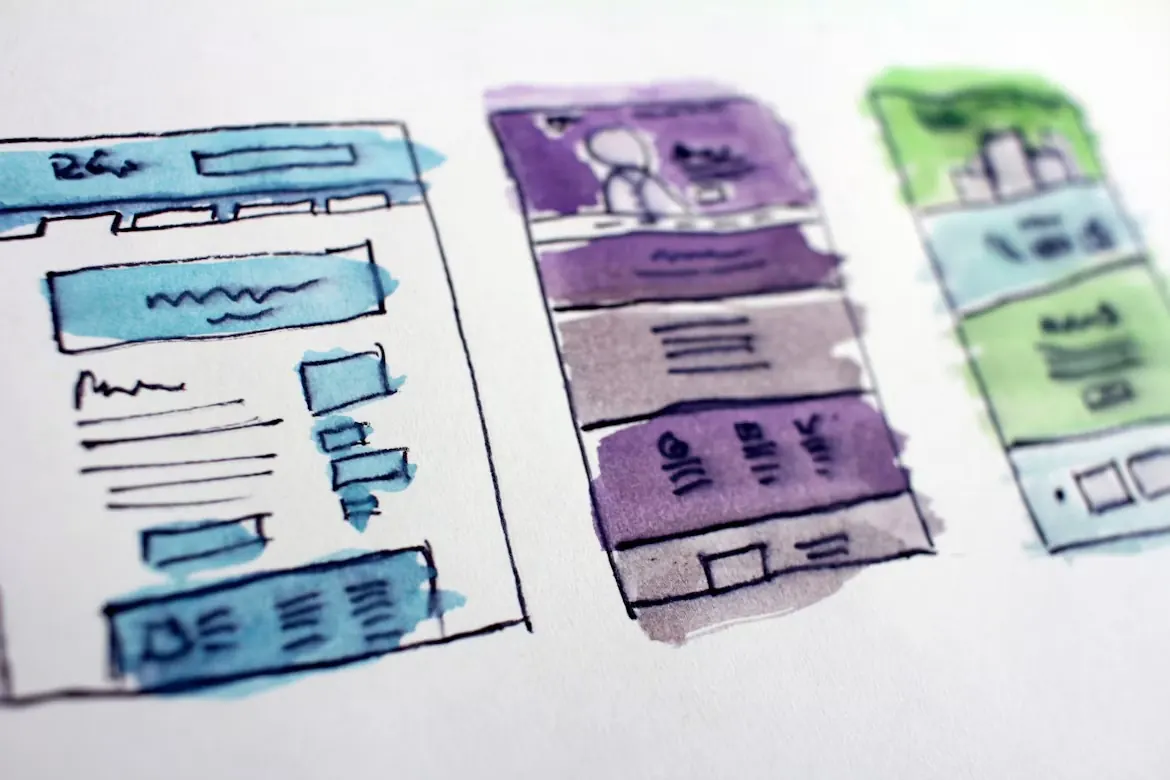
We sketch flows before screens, test the riskiest ideas with a clickable prototype, and only then move to high fidelity. Every component is designed with real content, empty states, errors and keyboard use in mind, so what you approve is what gets built.
The work ends in a documented design system in Figma, with tokens and components named the way your developers name them. If we are also building the product, the same system becomes the code.
What you get
- UX audit
- A prioritised list of usability and accessibility issues, with screenshots and the reasoning behind each recommendation.
- User research
- Interviews or moderated tests with your customers, summarised into clear findings instead of a hundred page report.
- Flows and wireframes
- The key journeys mapped end to end and agreed before visual design begins.
- Interactive prototype
- A clickable prototype for stakeholder review and usability testing.
- UI design and design system
- Final screens for every breakpoint, plus a component library with usage notes.
- Developer handoff
- Specs, tokens and a walkthrough with your team, and design support during the build.
A good fit if
- You run a SaaS product or web app and want to reduce drop-off in onboarding or key workflows.
- Your website or product has grown feature by feature and now feels inconsistent.
- You have developers but no dedicated product designer.
Probably not the right fit if
- You only need a logo or a brand identity. That is a different discipline, and we can point you to specialists.
- You need final designs with no time set aside for review or testing.
Tools we use
- Figma
- FigJam
- Maze
- Microsoft Clarity
- Google Analytics 4
- WCAG 2.2
How the project runs
A UX audit takes around two weeks. Redesigning a product area or a full website typically takes 4 to 8 weeks before development begins.
-
Diagnose
Week 1
We review your current site, analytics and competitors, and talk to whoever handles your enquiries. You receive a written diagnosis of where leads are being lost. We need about an hour of your time and access to your analytics.
-
Architect
Weeks 2 to 3
Sitemap, content plan and technical architecture. You receive a full site plan and a fixed quote. Design only starts once you have signed off.
-
Design
Weeks 3 to 5
High-fidelity design for every page type and screen size. You receive a clickable prototype, and we ask for two rounds of feedback, each within 48 hours.
-
Build
Weeks 5 to 9
Development, content entry and testing across devices. You follow progress on a live staging link the whole way, not only at the end.
-
Launch and grow
Ongoing
Go-live, monitoring and 30 days of aftercare at no extra cost. Everything we built is yours. If you want to keep improving it, we continue on a monthly plan you can pause or cancel.
Questions buyers ask
Do we need user research if we already know our customers?
Often a light version is enough. A handful of short sessions with real users usually reveals problems the team has stopped noticing. We size research to the decision it needs to support.
Can you work with our in-house developers?
Yes. We hand over a design system and specs in the structure your team already uses, join their planning sessions and answer questions during the build.
Do you design for accessibility?
Yes, WCAG 2.2 AA is our baseline: colour contrast, focus states, keyboard navigation and screen reader labels. If you sell to consumers in the EU, the European Accessibility Act has applied to many digital services, including ecommerce, since 28 June 2025.
Do you redesign existing products or only design new ones?
Both. Most of our design work improves something that already exists, because that is where the evidence is.
Show us the screen where people give up.
Send a link or a screenshot. We will tell you what we see and how we would test it.
Email us: mahnovasdigital@gmail.com